



Home Theater Ideas: How to Design a Media Room on Any Budget
on Nov 13 2026
Quick Answer: The best home theater ideas start with the room, not the gear. Choose a rectangular room you can make dark, size the screen so it fills 30 to 40 degrees of your view (sit roughly 1.2 to 1.6 times the screen diagonal away), and build the sound around at least a 5.1 speaker layout. Then soften hard surfaces with a rug, upholstered seating and heavy drapes, put the lights on dimmers, and fit blackout shades on every window so daylight never reaches the screen.
A good home cinema room is mostly geometry and light control. A modest TV in a dark, well-arranged room beats an expensive projector in a bright, echoing one. This guide takes each decision in order: room, screen, sound, seating, surfaces, lighting, windows and budget.
Dedicated Home Theater or Living-Room Media Room?
Decide this first, because it sets every later limit. A dedicated theater does one job. A media room is a living room, den or bonus room that also has to work for conversation and daytime use.
| Factor | Dedicated home theater | Living-room media room |
|---|---|---|
| Light control | Can be fully dark at any hour | Needs window coverings that switch between bright and dark |
| Wall and ceiling color | Dark, matte finishes throughout | Usually lighter; darken the screen wall only |
| Display | Projector or very large TV | TV in most cases |
| Sound | Full surround, speakers placed correctly | Soundbar or compact 5.1 fitted around furniture |
Without a spare room, most media room ideas come down to two things: placing the screen and speakers as well as the furniture allows, and making the room dark on demand.

What Room Size and Shape Work Best?
Look for a rectangle, and put the screen on a short wall so the seats and surround speakers have depth to work with. Square rooms tend to have uneven bass, because the same low notes build up between more than one pair of walls.
- Small: about 10 by 12 feet seats one row of two to four people in front of a large TV.
- Medium: about 12 by 18 feet fits a projector screen and, with a riser, two rows.
- Openings: fewer windows and doors make a room easier to darken and keep quiet.
Is a basement a good place for a home theater?
Usually, yes. A basement home theater starts with small windows and a room nobody needs to walk through. The trade-offs are low ceilings and concrete surfaces that reflect sound until you add carpet and soft furnishings. If the room has an egress window, keep it operable and choose a covering that clears the opening quickly. Our basement window ideas guide covers egress rules and below-grade window treatments.
How Big Should the Screen Be for Your Viewing Distance?
Screen size is a matter of how much of your vision the picture fills. According to RTINGS, the Society of Motion Picture and Television Engineers (SMPTE) recommends a screen that fills at least 30 degrees of your field of view for mixed use, while a 40-degree field of view gives a more immersive, cinematic experience. RTINGS calls 40 degrees "generally the safest way to go"[1].
For a 16:9 screen, those angles work out to simple multipliers: sit about 1.6 times the diagonal away for 30 degrees and about 1.2 times the diagonal for 40 degrees.
| Screen size (diagonal) | Mixed-use distance (30°) | Cinema distance (40°) |
|---|---|---|
| 55 inches | 7 ft 5 in | 5 ft 6 in |
| 65 inches | 8 ft 10 in | 6 ft 6 in |
| 75 inches | 10 ft 2 in | 7 ft 6 in |
| 85 inches | 11 ft 6 in | 8 ft 6 in |
| 98 inches | 13 ft 3 in | 9 ft 9 in |
| 110 inches | 14 ft 11 in | 11 ft 0 in |
Distances are from the RTINGS size-to-distance table[1]. The same geometry puts a 100-inch projector screen at about 10 feet for 40 degrees and 13.5 feet for 30 degrees, and a 120-inch screen at about 12 and 16 feet.
- Measure from the screen wall to where your eyes will be in the main seat.
- Divide that distance in inches by 1.2 for the largest comfortable size, and by 1.6 for the smallest size worth buying.
- Mark both sizes on the wall with painter's tape and sit down. If the larger outline makes you turn your head, go one size down.
- Check height. The center of the screen should sit close to seated eye level, raised only as much as a second row needs.
TV or Projector: Which Is Better for a Home Theater?
CNET's verdict is blunt: for most people, a big TV is now the better option, because TVs have become larger and cheaper while staying far brighter. The projector's remaining advantage is picture size for the money[2].
| Factor | Large TV | Projector and screen |
|---|---|---|
| Brightness | Much brighter; holds up with lights on | Only the brightest models approach an average TV |
| Dark scenes and HDR | OLED and Mini-LED sets show deep blacks and strong HDR | Stray light washes out dark scenes; most models struggle with HDR |
| Picture size for the money | 75 inches and up keeps getting cheaper | A sub-$1,000 projector can produce a 100-inch-plus image |
| Room requirements | Works in almost any room | Needs a dark room, throw distance and a screen |
| When it is off | A large black rectangle on the wall | A plain wall, or a screen that rolls up out of sight |
Comparison points are from CNET[2], except room requirements, which are general guidance. A workable rule: if your seating distance calls for 85 inches or less, or the room is used in daylight, buy a TV. If you want 100 inches or more and can make the room properly dark, a projector still delivers the most cinema-like scale. Either way, plan the window coverings before you buy.
Speaker Layouts: 5.1, 7.1 and Atmos Basics
Surround formats are named by counting speakers. The first number is ear-level speakers, the second is subwoofers, and a third number, when present, counts height speakers.
| Layout | What it includes | Best for |
|---|---|---|
| Soundbar (2.1 or 3.1) | One bar under the screen, usually with a subwoofer | Living rooms and small media rooms |
| 5.1 | Front left, center, front right, two surrounds, one subwoofer | The baseline for real surround in almost any room |
| 7.1 | 5.1 plus two rear speakers behind the seats | Longer rooms with space behind the main row |
| 5.1.2 or 7.1.4 (Dolby Atmos, DTS:X) | 5.1 or 7.1 plus two or four in-ceiling or upward-firing height speakers | Dedicated rooms with a flat ceiling and a receiver that supports height channels |
Placement matters more than speaker count. The international reference layout for 5.1, ITU-R BS.775, puts the front left and right speakers at the ends of a 60-degree arc seen from the main seat (30 degrees to each side of center) and the two surrounds between 100 and 120 degrees from center, slightly behind the listener. Front speakers should sit at about ear height, and with a solid screen the center speaker goes immediately above or below the picture[3].
- Subwoofer: the ".1" channel carries low-frequency effects up to 120 Hz[3]. Start along the front wall, then move the sub a foot or two at a time until bass sounds even in the main seat.
- Height speakers: in-ceiling speakers give the clearest overhead effect. Upward-firing modules need a flat ceiling to bounce sound from.
Seating and Sightlines
- Start with the main seat. Set it at your chosen viewing distance, centered on the screen, then build the row around it.
- Keep seats off the back wall. Bass piles up at room boundaries, so a couch against the rear wall sounds boomy. Even a foot or two of space helps.
- Raise the second row. Back-row viewers need to see the bottom of the screen over the heads in front. A riser of roughly 8 to 12 inches is common; test with stacked boxes before you build.
What Color Should You Paint a Home Theater?
Light from the screen bounces off walls and ceiling and lands back on the picture, which lifts blacks to gray. This matters most with a projector. In a dedicated room, use dark, neutral, matte colors such as charcoal, deep gray, navy or black. Strong colors tint the reflected light, and glossy finishes show bright reflections.
If a fully dark room is too much, treat the surfaces closest to the screen first: the screen wall, then the first several feet of ceiling and side walls. In a living room, a deep color on the TV wall alone helps.
Acoustics: Absorption, Rugs and Curtains
Hard, parallel surfaces keep sound bouncing, which blurs dialogue. Every material has an absorption coefficient between 0 (reflects everything) and 1 (a perfect absorber). The figures below, from Georgia State University's HyperPhysics reference, show why soft furnishings change a room so much[4].
| Surface | Absorption at 500 Hz | Absorption at 1,000 Hz |
|---|---|---|
| Poured concrete | 0.02 | 0.02 |
| Gypsum wallboard on studs | 0.05 | 0.04 |
| Ordinary window glass | 0.2 | 0.1 |
| Heavy carpet on felt backing | 0.4 | 0.5 |
| Draperies, medium velour | 0.5 | 0.7 |
| Upholstered seating, unoccupied | 0.6 | 0.7 |
- Floor: wall-to-wall carpet with a pad, or a thick rug between the screen and the seats.
- Windows and bare walls: full-length, pleated drapes in a heavy fabric absorb far more than the glass or drywall behind them.
- First reflection points: have a helper slide a mirror along each side wall. Wherever you can see a front speaker from the main seat, hang an acoustic panel, a bookcase or a drape.
- Do not overdo it: a room with every surface covered sounds dull. Treat these three areas, then listen.

Absorption tames echo inside the room. It does not stop sound from leaking to the rest of the house, which takes mass, sealed gaps and a solid door. See how to soundproof a room for that.
Lighting: Bias Lighting, Dimmers and Path Lights
- Bias lighting. A dim light placed behind a TV raises the light level around the picture without shining at your eyes or onto the screen. It eases eye strain and makes dark areas of the image look richer. Choose a strip or bulb rated at 6500K, the white reference video is mastered to[5]. With a projector, keep the screen wall dark instead.
- Dimmable ambient light. Put overhead and wall lights on dimmers. Lights beside or behind the viewer throw light onto the screen, which lowers contrast and adds glare[5], so aim fixtures away from the screen and avoid recessed cans directly in front of it.
- Path lighting. Low, warm LED strips under a riser edge or along the aisle let people move during a movie without washing out the picture.
Light Control at the Windows
Daylight is the one light source a dimmer cannot touch. On a projector it washes out every dark scene, and on a TV a window shows up as a bright reflection. Most leaks come around a window covering, not through it.
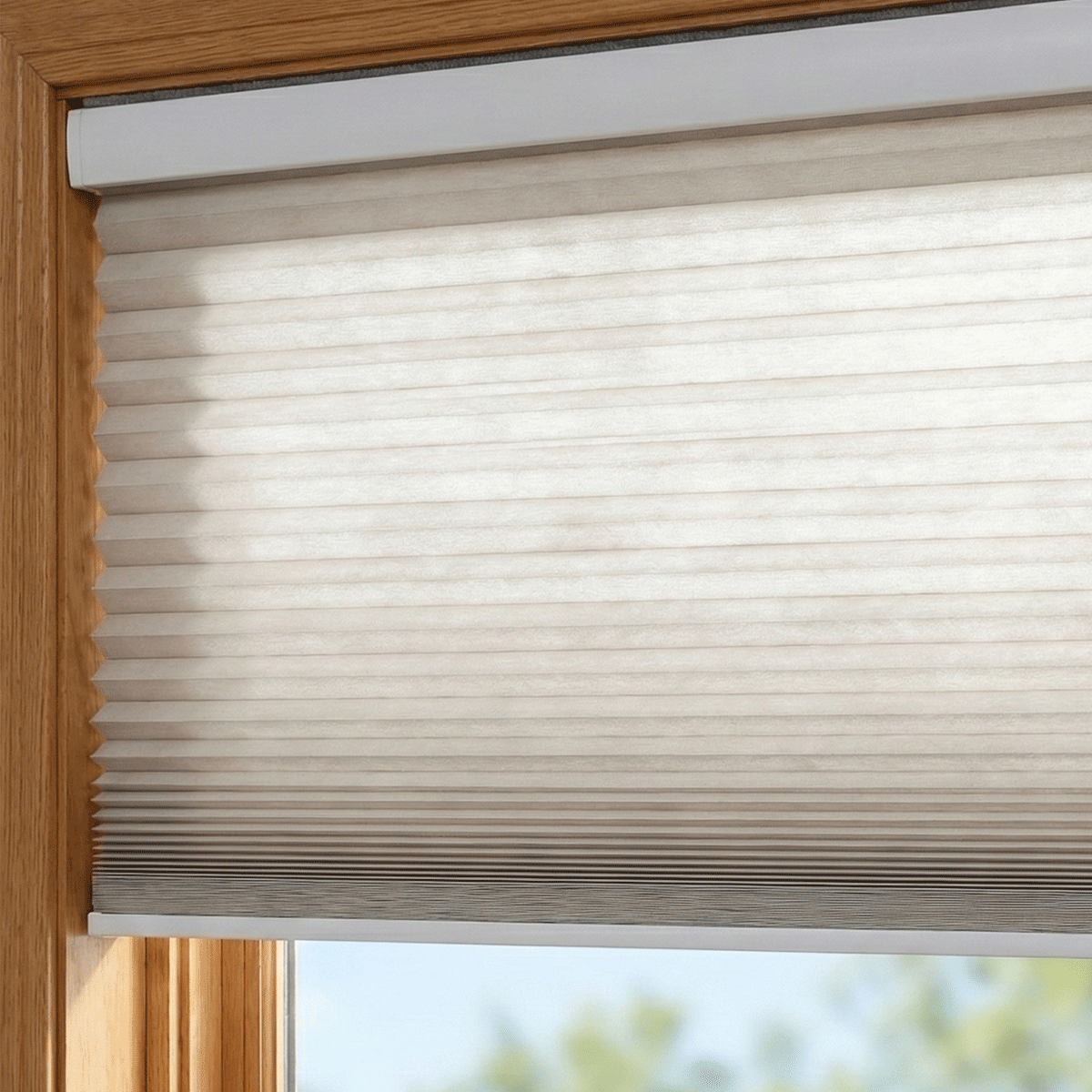
- Use true blackout fabric. Room-darkening and light-filtering fabrics glow in direct sun. Our Dark Series motorized blackout roller shades use a fabric that blocks virtually all sunlight.
- Close the side gaps. An inside-mount roller shade is slightly narrower than the frame so it can move freely, which leaves a strip of light on each side. Weffort side rail tracks, made for compatible blackout shades, are U-shaped aluminum channels with fiber brushes that help cover those edges. See blackout roller shades with side tracks for when they are worth adding.
- Cover the top and the surround. Drapes hung wide and high over the shade cover what the shade cannot, and add absorption. Our guide to layering drapes over shades covers rod depth and clearance.
- Choose a dark fabric near the screen. A white shade beside a projector screen reflects the picture back into the room. Charcoal or black disappears.
- Find the remaining leaks. Door gaps, equipment LEDs and hallway light matter once the windows are handled. Our checklist on how to make a room dark covers each one.

Smart Scenes: One Button for Movie Night
A scene groups several actions under one command, so the room goes dark the same way every time:
- Shades and drapes close.
- Overhead lights fade to off and the bias light turns on.
- The TV or projector and the receiver switch on.
For the shades, this needs a motor and a bridge to your smart-home platform. The Weffort Smart Hub connects up to 20 compatible motorized shades to Amazon Alexa, Google Home, Smart Life, SmartThings and IFTTT for app and voice control, so the shades can join a routine you build in the platform you already use for lights. Without a hub, a multi-channel Weffort remote can still move every paired shade at once. Our smart home for beginners guide explains hubs, platforms and routines.

Home Theater Budget Tiers
The brackets below are rough planning ranges for equipment and furnishings, not quotes. Construction such as wiring, risers and soundproofing is extra.
| Tier | Picture | Sound | Room |
|---|---|---|---|
| Starter (roughly under $2,000) | 65 to 75-inch TV you may already own | Soundbar with subwoofer, or an entry 5.1 package | Rug, bias light, blackout shades or drapes on the main window |
| Mid-range (roughly $2,000 to $8,000) | 77 to 85-inch TV, or a projector with a 100-inch screen | AV receiver with 5.1 or 5.1.2 speakers | Dark screen wall, dimmers, blackout shades with side channels, a few acoustic panels |
| Enthusiast ($8,000 and up) | 98-inch-plus TV, or a high-end projector with a 120-inch screen | 7.1.4 with in-ceiling speakers | Dedicated room, riser seating, full acoustic treatment, motorized shades and lighting scenes |
Whatever the tier, spend in this order: light control, seating position, sound, then screen size.
Small Home Theater Ideas
- Pick a TV over a projector. At 7 to 8 feet, a 65 to 75-inch TV already fills 30 to 40 degrees of your view[1].
- Choose a loveseat or two recliners over a deep sectional, and wall-mount the TV to free floor space.
- Go 3.1 or compact 5.1. Small on-wall speakers at the right angles beat large towers jammed into corners.
- Treat the window as part of the wall. One blackout shade with closed edges often turns a spare bedroom into a credible home cinema room.
Where Motorized Shades Fit In
Window coverings are a small part of a theater budget, but they decide whether you can use the room before sunset. Here is how Weffort products map to common situations.
| Your situation | What to consider | Trade-off |
|---|---|---|
| Dedicated theater or projector room | Dark Series blackout roller shades with side rail tracks to reduce light gaps on both sides | Tracks are for compatible blackout shades and are visible on the frame; some light can remain at the top |
| Living-room media room | A blackout roller shade behind motorized 90% blackout drapes, which cover the edges and add softness | The drape fabric is 90% blackout, so it is not a full blackout layer alone |
| Existing blackout shades with glowing edges | L-shaped light blocker strips or side tracks to close the side gaps without replacing the shade | Adhesive mounting is single-use and not recommended on stucco |
| One-command movie mode | Weffort Smart Hub for app and voice control of up to 20 shades | One more device to set up; check that your shade motor is compatible |
Custom shades are made to your measurements, so follow our roller shade measuring guide before ordering.
Frequently Asked Questions
What is a good size for a home theater room?
About 12 by 18 feet is comfortable for a projector screen and two rows, and a single row with a large TV works in roughly 10 by 12 feet.
How far should you sit from a 100-inch screen?
About 10 feet gives a 40-degree, cinema-style view, and about 13.5 feet gives the 30-degree minimum SMPTE recommends for mixed use[1].
Is a projector or a TV better for a home theater?
A TV is better for most rooms because it is far brighter and handles dark scenes and HDR well[2]. A projector makes sense when you want a 100-inch or larger picture and the room can be made fully dark.
Do you need blackout shades in a media room?
If the room has windows and you watch during the day, yes. Daylight washes out a projected image and reflects in a TV screen. Blackout fabric with covered edges, or a blackout shade layered with drapes, gives the most control.
How can you build a home theater on a budget?
Keep the TV you have, add a soundbar or entry 5.1 system, and spend the rest on the room: a rug, a bias light, dimmable lamps and blackout window coverings.
Plan the Room, Then Darken It
Good home theater ideas share one pattern: get the geometry right, soften the room, and take control of the light. When you reach the windows, browse our motorized roller shades and drapery, and order fabric samples to see each color and opacity in your own room with the lights down.
Sources
- TV Size To Distance Calculator (And The Science Behind It) (RTINGS.com)
- TV vs. Projector: What's the Best Choice in 2026? (CNET)
- Recommendation ITU-R BS.775: Multichannel stereophonic sound system with and without accompanying picture (International Telecommunication Union)
- Modeling Reverberation Time: Table of Absorption Coefficients (HyperPhysics, Georgia State University)
- What Bias Lighting Is and Why You Should Be Using It (How-To Geek)
Share