



What Is Matter? The Smart Home Standard Explained Simply
on Nov 23 2026
Quick Answer: Matter is an open smart home standard from the Connectivity Standards Alliance that gives devices from different manufacturers a common language, so one Matter-certified plug, lock or shade can work with Apple Home, Google Home, Amazon Alexa, Samsung SmartThings and Home Assistant. Matter is the application layer; it runs over your home network using Wi-Fi, Ethernet or Thread, a low-power mesh, and uses Bluetooth LE for setup. You still need a controller (usually a smart speaker, display or hub you already own), and Thread devices also need a Thread border router.
Before Matter, every purchase came with a compatibility puzzle: does this bulb work with Alexa, does that lock work with Apple HomeKit? Matter was built to end that guessing game. So what is Matter smart home technology, exactly? This guide explains how its pieces fit together, how it compares with Zigbee and Z-Wave, and whether Matter support is worth paying for. If you're still choosing a platform, start with our smart home for beginners guide; this article goes one level deeper into the technology.
What Is Matter in a Smart Home?
Matter is an open connectivity standard for smart home devices, built on an open-source, royalty-free software development kit. It is maintained by the Connectivity Standards Alliance (CSA), the organization formerly known as the Zigbee Alliance, whose hundreds of member companies include the major platform makers, chip suppliers and accessory makers[3]. The Matter 1.0 specification and certification program opened in 2022, and the first Matter-certified devices went on sale that fall[3].
The simplest way to think about it: Matter is a shared language, not a new radio and not a new app. Before Matter, accessory makers often had to build separate integrations for various ecosystems, so many smart devices worked with one platform but not other systems. With Matter, connected devices speak one standard and talk directly to any platform that supports Matter. The CSA says Matter is now deployed across Apple Home, Google Home, Amazon Alexa, Samsung SmartThings and Home Assistant[1].
Three ideas make Matter different from what came before:
- Interoperability: Matter-certified devices are meant to work seamlessly with any smart home platform that supports Matter, so you aren't locked into a single ecosystem.
- Local control: Matter is a local connectivity technology. Commands travel over your home network instead of bouncing through cloud services, which is faster and keeps working if your internet goes down[1].
- Security built in: every certified device has a unique, verifiable identity, communication is encrypted, and devices can receive over-the-air updates[1].
How Does Matter Work?
Matter sits at the top of a stack. It defines what a device is (a light, a lock, a window covering) and the commands it understands (on, off, lock, open to 50%). Underneath, existing networking technologies carry those messages. That's why tech writers describe Matter as an application layer that runs over Wi-Fi and Thread rather than a replacement for them[4].
| Piece | What it does | Typical examples |
|---|---|---|
| Matter (application layer) | Common device types and commands every platform understands | "Window covering, move to 40%," "Door lock, lock" |
| Wi-Fi | Carries Matter on your existing home network; high bandwidth, higher power draw | Plug-in smart plugs, bulbs, TVs, appliances |
| Thread | Low-power IPv6 mesh network built for small, battery-friendly devices | Sensors, locks, battery-powered shades, switches |
| Ethernet | Wired connection for hubs, bridges and controllers | Hubs, bridges, routers |
| Bluetooth LE | Used during setup (commissioning) only | Scanning the QR code to add a new device |
| Bridges | Translate other protocols into the Matter ecosystem | Zigbee or Z-Wave hubs that expose their devices to Matter |
Matter controllers
A Matter controller is the device that adds Matter devices to your home and runs your automations. In practice, it's usually something you already own: a recent smart speaker or smart display (an Amazon Echo, a Google Nest Hub or an Apple HomePod), an Apple TV, a SmartThings hub or a Home Assistant server. There is no single Matter app; smart home platforms each use their own app, such as Apple Home, Google Home, Alexa or SmartThings.
Because Matter is local, remote access depends on that controller. The CSA notes that Matter-only devices need an internet-connected controller in the home to be controlled while you're away[1].
Thread border routers
Thread devices don't connect to your Wi-Fi router directly. A Thread border router links the Thread mesh to your home network so your phone, voice assistant and controller can reach those devices. Many recent smart speakers, displays, streaming boxes and mesh Wi-Fi systems include a border router, often in the same box as the Matter controller. If you already own one, adding Thread devices is simple; if you don't, it's the first thing to buy. For a deeper look, see our explainer on what a Thread border router does for smart shades.
Multi-admin: one device, several platforms
Multi-admin is the feature that lets you add the same Matter device to more than one platform at the same time. A household with an iPhone user and an Android user can control the same smart switch from Apple Home and Google Home, with voice commands through Siri or Google Assistant. The CSA describes multi-admin as a core feature that lets users choose which platforms can access each device[1]. In practice, you set the device up in your first app, then use that app's sharing option to generate a pairing code for the second one.

Matter Over Thread vs Matter Over Wi-Fi
Every Matter end device uses one network type, either Wi-Fi or Thread, and the box or product page should tell you which. The choice affects battery life, reliability and the extra hardware you need.
Matter over Thread uses the same IEEE 802.15.4 radio technology as Zigbee in the 2.4 GHz band, but with an IP-based network stack[1]. A Thread network is a mesh: plugged-in devices can act as routers that pass messages along, so the network gets stronger as you add devices, while battery-powered devices can sleep most of the time to save power. That low power draw is why Thread is common in locks, occupancy sensors and battery-powered shades. The trade-off is that you need a Thread border router.
Matter over Wi-Fi connects devices directly to your home network. No border router is needed, and Wi-Fi has the bandwidth for media devices, cameras and appliances. But Wi-Fi radios use more power, so it's a better fit for devices plugged into an outlet, such as smart plugs, light bulbs and a smart TV. Many budget Wi-Fi devices only support the 2.4 GHz band, so check that your router broadcasts it.
A practical rule: choose Thread for battery-powered devices and things you want to respond instantly, and Wi-Fi for anything that's always plugged in and moves a lot of data.
Matter vs Zigbee vs Z-Wave: What's the Difference?
Zigbee and Z-Wave are older smart home protocols that each combine a radio, a network and a device language. Both are reliable, widely used mesh networks, and both still power millions of devices. The key difference is that Matter devices from different manufacturers are designed to work across platforms, while Zigbee and Z-Wave devices need a hub or controller that speaks their protocol.
| Matter over Thread | Matter over Wi-Fi | Zigbee | Z-Wave | |
|---|---|---|---|---|
| Radio band | 2.4 GHz (802.15.4) | 2.4 GHz or 5 GHz Wi-Fi | 2.4 GHz (802.15.4) | Sub-GHz (around 908 MHz in the US) |
| Network | IPv6 mesh | Your Wi-Fi network | Mesh, not IP-based | Mesh, not IP-based |
| Extra hardware | Thread border router + Matter controller | Matter controller | Zigbee hub or coordinator | Z-Wave controller |
| Works across platforms | Yes, via multi-admin | Yes, via multi-admin | Only through a hub that supports it | Only through a controller that supports it |
| Power use | Low | Higher | Low | Low |
| Best for | Battery devices, cross-platform homes | Plug-in devices, media | Large existing Zigbee setups | Larger homes, less 2.4 GHz congestion |
Is Matter just Zigbee? No. Matter's data model borrows heavily from the Zigbee Cluster Library, and Thread shares Zigbee's radio technology, but the CSA is explicit that Matter and Zigbee are different protocols with no native interoperability[1]. Instead, Matter includes a bridge specification, so a hub can expose its Zigbee or Z-Wave devices to Matter platforms.
Which should you choose? If you're starting fresh or your household uses more than one ecosystem, Matter gives you the most flexibility. If you already run a stable Zigbee or Z-Wave network through a hub such as Home Assistant or Hubitat, there's no urgent reason to replace it; add Matter devices alongside it as you expand.
What Devices Work With Matter?
Matter launched with a short list of categories (lighting, plugs and switches, thermostats and other HVAC controllers, door locks, sensors, media devices and window shades) and has grown with each release[4]. The CSA now lists more than 30 device types[2], including:
- Lighting and electrical: smart plugs, light switches, dimmers and light bulbs
- Climate: thermostats, fans, air quality and humidity sensors
- Safety and security: door locks, motion and occupancy sensors, contact sensors, smoke and CO alarms
- Window coverings and doors: shades, blinds, curtains and drapes, plus garage door openers
- Cameras and doorbells, appliances and robot vacuums
- Energy and water: EV chargers, solar inverters, battery storage, leak detectors and irrigation controllers
Look for the Matter logo, which only certified devices may carry[1]. One caveat: Matter compatibility in the specification doesn't guarantee every platform supports a device type yet. Platforms add support at different speeds[3], so before buying a newer category such as cameras or appliances, confirm that your platform lists it.
Is Matter Worth It?
For most people buying new smart home devices today, yes. Matter adoption is now broad enough that it's the safest way to ensure compatibility when you're choosing between two otherwise similar products, though it doesn't make your current gear obsolete.
Advantages
- Freedom to switch platforms: a Matter device can move with you if you change from Alexa to Google Home, or run both at once.
- Faster, more reliable control: local commands don't depend on a company's cloud services.
- Consistent setup: scan a QR code or type a numeric code in your preferred ecosystem's app, with the same configuration steps across brands.
Limitations
- Platform support varies: different manufacturers and platforms adopt new device types at different speeds, and some advanced features still live only in the manufacturer's app.
- Thread needs a border router: without one, Thread devices can't join your home network.
- Not every existing device will be updated: whether older products get Matter depends on their hardware and the maker's plans[1].
- Multiple Thread networks: border routers from different ecosystems don't always join a single mesh, which can complicate troubleshooting.
Rule of thumb: buy Matter when the price difference is small, choose Thread for battery devices if you already own a border router, and don't replace working Zigbee or Z-Wave gear just to have the logo; a bridge can bring those other devices into your smart home ecosystem.
How to Set Up a Matter Device
- Confirm your controller. Make sure your smart speaker, display or hub supports Matter, and, for Thread devices, that it's also a Thread border router.
- Update everything. Update the hub's firmware and your platform app; older versions can lack Matter support or newer device types.
- Save the setup code. Photograph the Matter QR code before installing the device. On shades, locks and switches, the code can end up hidden on the back or inside a headrail.
- Add the device. In your app, choose to add a Matter device and scan the code. Keep your phone's Bluetooth on and stay close to the device.
- Name it by room. Clear names such as "Bedroom Left Shade" make voice commands and automations easier.
- Share it, if needed. Use multi-admin to add the device to a second platform with a new pairing code.
- Build automations. Schedules and scenes are where Matter devices earn their keep; our list of smart home automation ideas has 25 routines to try.
On security, a NIST cybersecurity researcher recommends never reusing passwords, turning on two-factor authentication, letting device updates install automatically and considering a separate network for smart home devices[5]. One Matter-specific caveat: controllers find devices on the local network, so if you split networks, keep your controller, border router and Matter devices on the same one.

Where Motorized Shades Fit In
Window coverings are among the most useful Matter device types because they're tied to light, privacy and heat gain, and they can be automated by time, sunrise or temperature. They're also awkward to reach on tall or wide windows, so voice control and app control solve a real daily problem.
Here's how Weffort shades connect, according to Weffort's smart home compatibility page and its platform pages:
- Apple Home: connects via Thread using a HomePod (2nd Gen), HomePod mini or Apple TV 4K (2nd/3rd Gen, 128GB), which acts as the Matter and Thread border router, with no extra bridge.
- Google Home: integrates through Matter and Thread. You connect at least one Thread border router (such as a Nest Hub 2nd Gen or Nest Hub Max) and then add the shade as a Matter-enabled device by scanning its QR code.
- Amazon Alexa: supports Matter and Zigbee. Echo models with a built-in Zigbee hub, such as the Echo Show 10, Echo Show 8 (3rd Gen) or Echo Studio, can pair the shades without an extra gateway.
- Home Assistant: connects via Matter, Zigbee or Z-Wave with a compatible controller or dongle, for local control that doesn't rely on the cloud (see the Home Assistant page).
- SmartThings, Hubitat and Homey: listed with Matter, Zigbee and Z-Wave motors.
Motor options vary by product. Weffort's product pages describe a Motor Type choice with options that may include remote control and smart home connectivity such as Zigbee, Z-Wave or Matter, so check the motor list on each product page before you order and pick the protocol that matches your hub.
| If you need | Consider | Trade-off |
|---|---|---|
| A dark bedroom with scheduled wake-up light | Texture Series motorized blackout roller shades | Expect thin light gaps at the edges of an inside mount |
| Insulation plus blackout for a cold or hot room | motorized double cell blackout cellular shades | Higher starting price than single-cell or roller shades |
| A soft look on sliders or wide glass | motorized sheer drapes | Needs DC 12V or AC 110–240V power, so plan wiring |
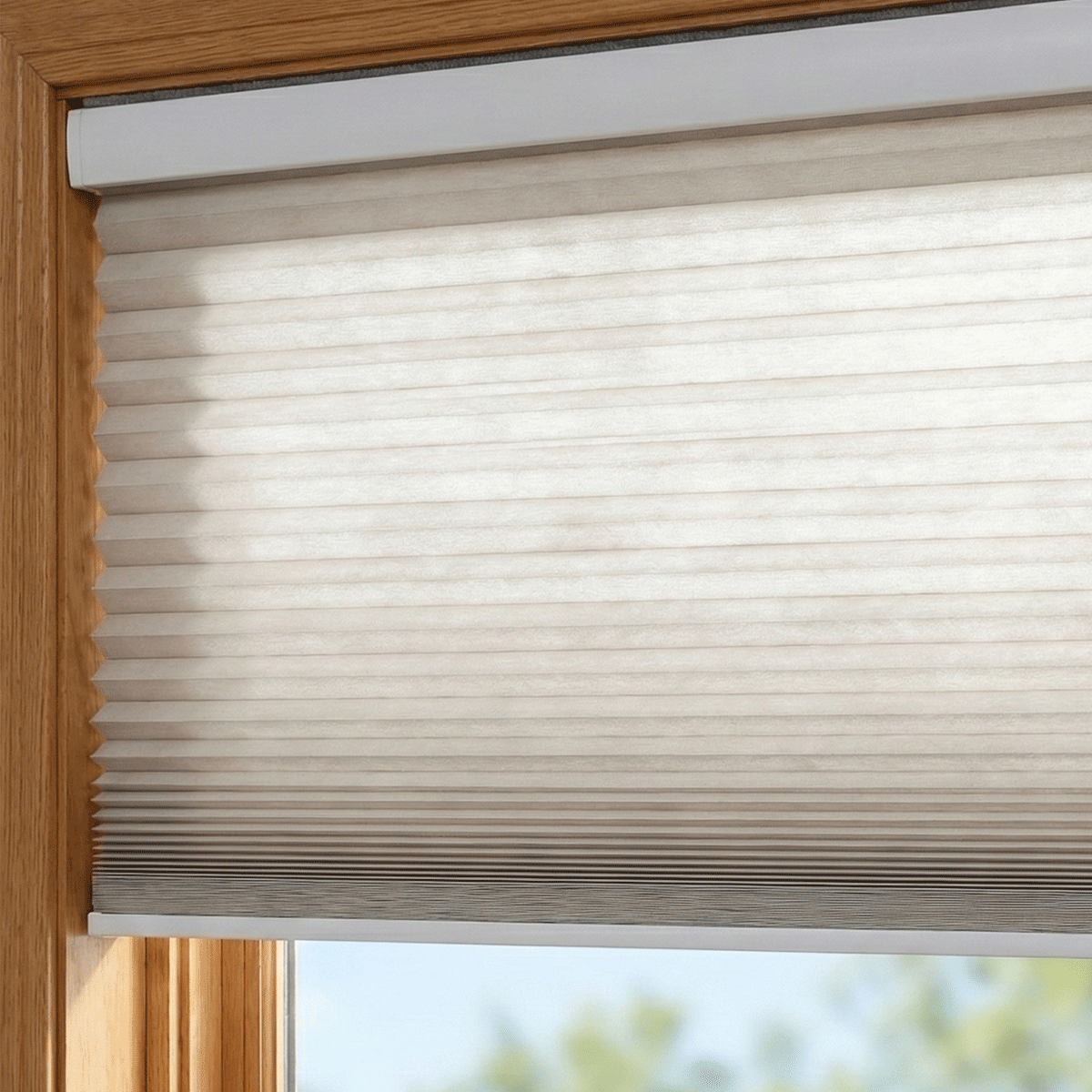
Roller and cellular shades list rechargeable battery, hardwired power or an optional solar panel for compatible motors. Browse all motorized roller shades for the widest range of fabrics, or cellular shades if energy savings come first. For sizing details and motor choices, our motorized roller shades buying guide and motorized drapes buying guide go deeper.

Frequently Asked Questions
What is the point of Matter in a smart home?
Matter lets smart devices from different manufacturers talk directly using one common language, so you can buy a device without worrying whether it works with Alexa, Google Home or Apple Home. It also runs locally, which makes control faster and less dependent on the internet.
Does Matter have its own app?
No. You set up and control Matter devices in the app of your preferred ecosystem, such as Apple Home, Google Home, Alexa, SmartThings or Home Assistant. Some manufacturers also offer their own app for firmware updates and extra settings, but it isn't required for basic control.
Is Matter Zigbee or Thread?
Neither. Matter is the application layer, and Thread is one of the networks it runs on, along with Wi-Fi and Ethernet. Zigbee is a separate protocol; it shares Thread's 802.15.4 radio technology but doesn't natively interoperate with Matter, though bridges can connect Zigbee devices to Matter platforms.
What frequency does Matter over Thread use?
Thread uses the 2.4 GHz band with IEEE 802.15.4 radios, the same band as Zigbee and much 2.4 GHz Wi-Fi. Z-Wave, by contrast, uses a sub-GHz band (around 908 MHz in the US), which is one reason some people prefer it in homes with crowded 2.4 GHz airwaves.
When was Matter released?
The Matter 1.0 specification and certification program launched in fall 2022, and the first certified products went on sale that season. Later releases added device types such as appliances, robot vacuums, energy management devices and cameras, along with improvements to multi-admin and setup.
Does Matter work with Google Home, Apple Home and Alexa?
Yes. Google Home (including Google Nest speakers and displays), Apple Home, Amazon Alexa, Samsung SmartThings and Home Assistant all support Matter. Support for specific device types can lag behind the specification, so check your platform's list before buying a newer category.
Can Thread and Zigbee work together?
They can share the same home, but they can't talk to each other directly because they're different protocols. Some hubs include both radios and can bridge Zigbee devices into Matter, so you can automate Zigbee and Matter over Thread devices together in one app.
Make Your Windows Part of Your Matter Home
If you're building a Matter smart home, windows are one of the most useful places to start: a shade that opens at sunrise and closes on hot afternoons saves effort every day. Check each product page for its motor options, confirm the protocol matches your hub, and explore Weffort's motorized roller shades, motorized drapery and cellular shades. Order fabric samples first to see colors and opacity in your own light.
Sources
- Matter FAQ (Connectivity Standards Alliance)
- Matter Supported Device Types (Connectivity Standards Alliance)
- What Is Matter? We Explain the Smart Home Standard (WIRED)
- The New Smart Home Standard Matter Has Arrived: What You Need to Know (The Verge)
- 7 Tips to Keep Your Smart Home Safer and More Private (National Institute of Standards and Technology)
Share