



Home
-
Weffort Smart Shade Guide
-
Where to Put the TV in a Living Room: Placement, Height and Glare

Where to Put the TV in a Living Room: Placement, Height and Glare
on Nov 21 2026
Quick Answer: The best place to put a TV in a living room is usually on a wall perpendicular to the main windows, directly across from the sofa, with the center of the screen near seated eye level (about 40 to 45 inches off the floor). Sit roughly 1.2 to 1.6 times the screen diagonal away: about 7.5 feet from a 55-inch TV or 9 feet from a 65-inch one. Avoid walls directly opposite or behind a bright window, and think twice before mounting high over a fireplace.
A living room has to handle conversation, reading and homework as well as TV time, and it usually has big windows. That makes TV placement harder than in a dedicated media room, where you can design everything around the viewing experience. If you are building a room just for movies, our home theater ideas guide covers screen walls, surround sound and seating rows. This guide is about the everyday living room: which wall to choose, how high to mount it, how far back to sit and how to keep daylight off the picture.
Where Is the Best Place to Put a TV in a Living Room?
Before finding a place for the TV, sketch the living room and mark the windows, doors, fireplace, outlets and main walkways. Then score each wall against five questions:
- Is it out of the windows' glare path? A wall at a right angle to the largest panes of glass is almost always the best option.
- Can the main sofa face it straight on? The primary seat should face the TV without turning.
- Is it the right distance from the seating? About 1.2 to 1.6 times the screen diagonal (see the table below).
- Does it keep walkways clear? No one should have to walk between the couch and the TV.
- Is there power and solid structure? A nearby outlet and wall studs (or masonry) where the mount will go.
A wall that passes all five is your TV wall. If none does, the sections below help you pick the best compromise, and our guide to how to arrange furniture in a living room covers the rest of the layout around it.

Where to Put TV in Living Room Layouts: Options Compared
Every living room is different, but nearly every TV ends up in one of six places. The difference between them comes down to glare, height and how the furniture can face the TV.
| Placement | Pros | Cons | Best for |
|---|---|---|---|
| Wall perpendicular to windows, opposite the sofa | Least glare, natural focal point, easy layout | Side light can reach the TV at some hours | Most living rooms |
| Across from a window | Sofa keeps the view behind it | The window reflects in the TV | Rooms with no other usable wall, plus good shades |
| In front of or between windows | Uses a hard-to-furnish wall | Bright light around the picture strains eyes and washes out dark scenes | Only with shades you close for viewing |
| Corner | Frees two walls, visible from more seats | Needs a corner unit or swivel mount | Small and square rooms |
| Over the fireplace | One focal point, saves floor space | Usually too high, heat concerns | Low mantels, gas or electric inserts |
| On a room divider or half wall | Defines the living area in an open plan | Cables must reach it; it must be anchored | Open-concept layouts |
On the Wall Opposite the Seating
With the sofa centered on the TV, everyone has a clear view at a comfortable angle, and the coffee table, chairs and other furniture fall into place around that line to create a comfortable seating area. In a long room, use the shorter wall so the couch can sit at the right distance without floating in the middle of the space, and angle side chairs toward it.
In a Corner
A corner works in small living rooms or rooms where every wall has a door or window. Place the TV at a 45-degree angle facing the middle of the seating area. A corner console or a full-motion swivel mount lets you aim the TV at the sofa for movies and at a reading chair at other times.
TV Over the Fireplace Wall: Pros and Cons
Mounting above the mantel avoids two competing focal points, but height is the problem. A TV above a standard mantel usually centers around 60 to 75 inches off the floor, versus about 40 to 45 inches for a seated viewer. From a sofa 9 feet away, a screen centered at 65 inches makes you look up about 12 degrees, and one centered at 75 inches about 17 degrees. You will feel that over a two-hour movie, and it is not a great viewing experience for anyone on the couch.
If the mantel is your only real option:
- Check the heat. Feel the wall where the TV will hang while a fire burns, and read the TV maker's guidance on heat sources.
- Mount it as low as possible, with the bottom edge just above the mantel shelf, and keep mantel decor ideas low so nothing blocks the view.
- Consider a pull-down mount that lowers and tilts the TV for viewing.
- Place the seating farther back so the upward angle is smaller.
The alternative is to put the TV on the wall beside the fireplace and angle the seating to take in both. For styling the shelf below a TV, see our guide to how to decorate a mantel.
Between or In Front of Windows
This is the most common place people go wrong. Your eyes adjust to the bright window next to the picture, so the screen looks dim and dark scenes turn murky. OSHA's ergonomic advice for computer screens is to place the monitor perpendicular to the window [2], and the same logic applies to a TV. If a window wall is the only option, plan on shades that close fully whenever the TV is on.

On a Room Divider in an Open Plan
In an open-concept living room, a half wall, built-in media wall or tall shelving unit between the living and dining zones gives the TV a backdrop and the couch a reason to face that way. Plan power and cables before the divider goes in, and anchor any freestanding unit that holds a TV so it cannot tip.
How High Should You Mount a TV on the Wall?
The general rule of thumb: put the center of the screen at, or slightly below, the eye level of a seated adult, which is about 40 to 45 inches from the floor for most sofas. To check, sit in your main seat, look straight ahead and have someone mark the wall where your eyes land.
The reasoning matches desk ergonomics. OSHA recommends the top of a computer screen at or slightly below eye level, with the center about 15 to 20 degrees below horizontal, because tilting your head back for long periods fatigues the neck [2]. A TV is farther away, so its center can sit closer to eye level, but looking slightly down is comfortable and looking up is not.
To find the mount height, subtract half the screen height from your eye-level mark. A 16:9 screen is about 49 percent as tall as its diagonal:
| TV size | Screen height (approx.) | Bottom edge for a 42-inch center |
|---|---|---|
| 43 inches | 21 inches | about 31.5 inches |
| 55 inches | 27 inches | about 28.5 inches |
| 65 inches | 32 inches | about 26 inches |
| 75 inches | 37 inches | about 23.5 inches |
| 85 inches | 42 inches | about 21 inches |
Screen heights are rounded from the dimensions RTINGS lists for each size [1]. The frame adds a little, and the bracket position changes where the wall plate goes, so check the mount instructions before drilling.
How Far Should the Couch Be From the TV?
RTINGS bases its recommendations on field of view: a screen filling about 30 degrees of your vision suits mixed use, and 40 degrees gives a more cinematic, immersive viewing experience [1]. That means sitting about 1.6 times the diagonal away for mixed use and about 1.2 times for movies.
| Screen size | Mixed-use distance (30°) | Cinema distance (40°) |
|---|---|---|
| 43 inches | 5 ft 10 in | 4 ft 4 in |
| 50 inches | 6 ft 9 in | 5 ft 0 in |
| 55 inches | 7 ft 5 in | 5 ft 6 in |
| 65 inches | 8 ft 10 in | 6 ft 6 in |
| 75 inches | 10 ft 2 in | 7 ft 6 in |
| 85 inches | 11 ft 6 in | 8 ft 6 in |
Distances are from the RTINGS size-to-distance table [1]. Measure from the TV to your eyes, not to the front of the sofa; on a deep couch that is a foot or more. It is often easier to work backward: if the sofa is 9 feet from the TV wall, a 65-inch screen fits the mixed-use guideline and a larger screen leans toward cinema.
Viewing angle matters too, especially in a living room with several seats. Many LCD TVs lose contrast and color off to the side, while OLED and wide-angle panels hold up better. Keep the main couch centered on the TV, and with an L-shaped sectional, let the long side face the TV.
How Do Windows Cause TV Glare, and Which Direction Matters?
A window behind the TV puts bright light in your field of view. A window across from the TV shows up as a reflection, which is worse on glossy screens. Sun landing on the TV from the side does both.
The direction the windows face decides when the problem appears. The New Jersey Green Building Manual notes that low sun angles make glare and heat gain harder to control from east- and west-facing windows than from south- and north-facing ones [3].
- West-facing: low sun in the late afternoon and early evening, which is prime TV time. A TV opposite a west window is the hardest setup to live with.
- East-facing: low morning sun. Fine for evening viewers, a problem for morning news.
- South-facing: strong midday sun that sits higher in summer and lower in winter, so glare shifts with the seasons.
- North-facing: soft, indirect light, the easiest to live with near a TV.
Before you mount anything, hold a dark tablet at the place where the TV will go in the morning, at noon and late in the afternoon, and view it from the sofa. If you see the window, so will the TV, and no picture setting will fully fix it.

Should You Put Your Couch or TV Against a Window?
The couch, usually. In most living room layouts it is the better option. A sofa under a window keeps the TV away from a bright backdrop, though the window then faces the TV, so you will need shades that stop reflections when the set is on.
Wall Mount or TV Stand?
A wall mount saves floor space in a small living room, puts the TV at exactly the right height for the best viewing experience and keeps it away from toddlers and pets. A stand or console is more flexible: it holds devices and a soundbar, moves when you rearrange and needs no drilling, which suits renters. If you choose a stand, pick a console at least as wide as the TV and low enough to put the screen center at a seated viewer's sightline; for a 65-inch TV that usually means a console around 22 to 26 inches tall, depending on the TV's feet.
How to Mount a TV Safely
TV tip-overs are a real hazard, especially for young children. The U.S. Consumer Product Safety Commission estimates an annual average of 2,800 emergency department-treated injuries from tip-overs involving a television (2020 to 2022), and 103 of the 217 tip-over deaths reported to CPSC from January 2013 through July 2023 involved a TV falling alone or with furniture [4]. CPSC links the recent decline in TV tip-overs to the shift from heavy tube TVs to wall-mounted flat screens [4].
- Choose a mount rated for your TV. It should match the hole pattern on the back of the set and be rated above the TV's weight.
- Find the studs. Studs in most U.S. homes are 16 inches apart on center. Use a stud finder, confirm with a small test hole and drive the lag bolts into the stud centers, never into drywall alone.
- Use masonry anchors on brick or stone, drilled into solid brick rather than mortar joints.
- Mark and level before drilling to ensure the TV ends up where you planned, using your eye-level mark and the bracket offset from the instructions.
- Strap anything on a stand. A TV on a console needs anti-tip straps, and the console should be anchored too.
How Do You Hide TV Cables?
- In-wall power and cable kit. Ordinary power cords are not meant to run inside walls, so use a kit made for in-wall installation, with a recessed outlet behind the TV and a power inlet near the floor.
- New outlet behind the TV. An electrician can add a recessed outlet at mount height, the cleanest option if the wall is already open.
- Paintable raceway. A surface channel painted the wall color is the renter-friendly choice for enhancing a clean look without opening the wall.
Common Mistakes in Living Room TV Placement
- Mounting too high, the most common and most controversial mistake.
- Ignoring the windows. A wall that looks perfect at night may reflect a sunlit window every afternoon.
- Blocking a walkway between the couch and the TV.
- Centering on the wall instead of the seating. Center the TV on the main sofa, then create balance on the wall with shelves or art.
- Forgetting lamp glare at night. Aim lamps away from the TV, or add a soft bias light behind the TV.

Where Motorized Shades Fit In
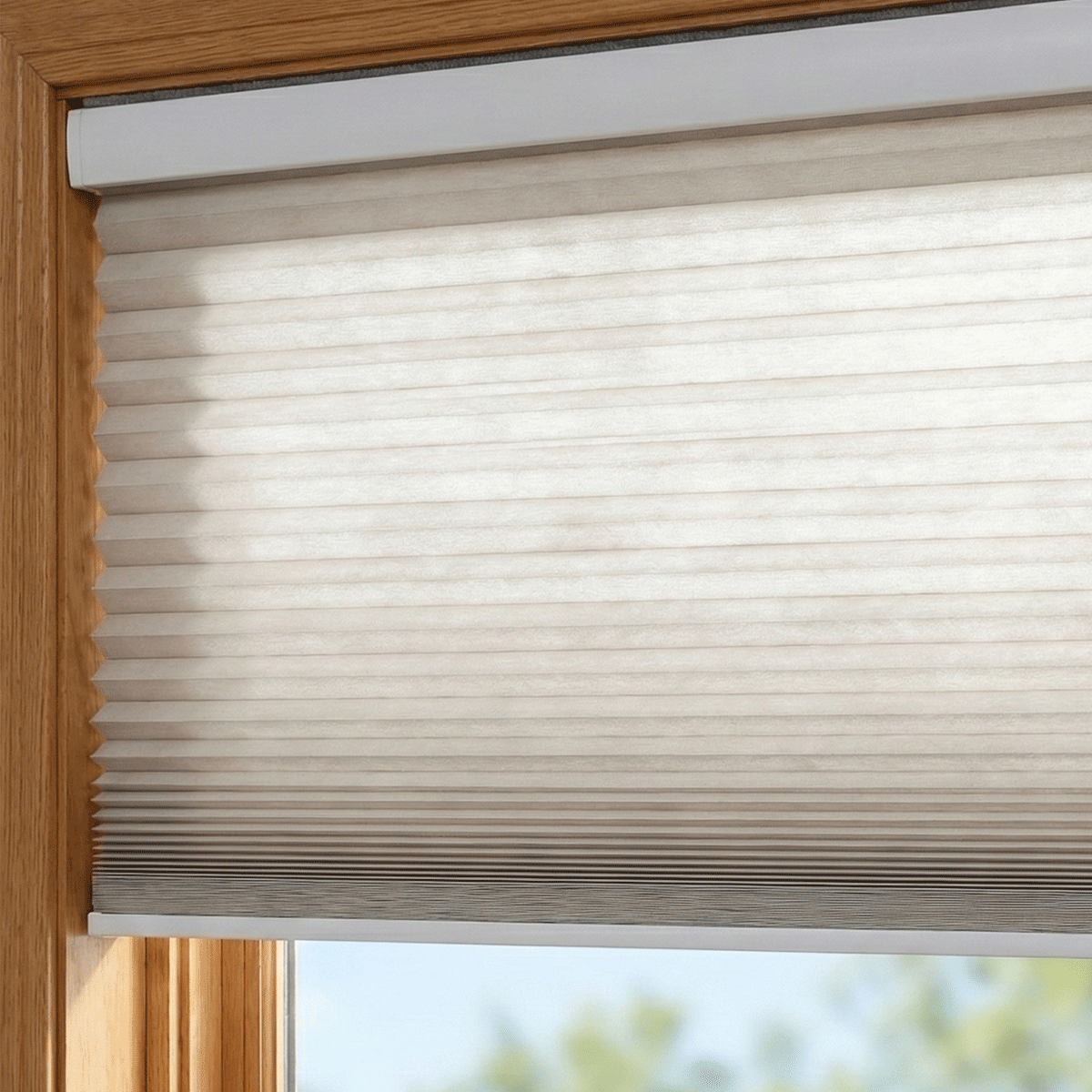
Sometimes the best place for the TV in the living room still faces or flanks a window. Glare is easiest to manage at the window, and a motorized shade lets you lower it from the sofa when the show starts and raise it afterward.
| Your situation | What to consider | Trade-off |
|---|---|---|
| Windows beside the TV; you want daylight without hot spots | Linen Series light filtering roller shades disperse sunlight evenly and reduce glare | Not dark enough for daytime movies |
| A window directly across from or behind the TV | Dark Series blackout roller shades block virtually all sunlight | Some light can leak at the edges |
| A living room that doubles as a movie room | Curved Cassette dual shades pair a woven front fabric with a blackout backing and support scenes like "Movie Time" | A bigger investment than a single roller shade |
| You want light and privacy in steps | Gorgeous Series room darkening zebra shades align sheer bands for filtered light or overlap solid bands for privacy | Room darkening, not full blackout |
Use blackout fabric on the window that reflects in the TV and a lighter fabric on windows that only add side light. Our guides to dual shades for screen glare and blackout roller shades with side tracks go deeper, and remote, app and voice control are covered on our smart technology page.

Frequently Asked Questions
Where should I put my TV in the living room?
Place it on a wall at a right angle to the main windows, directly across from the sofa, with the screen center at the height of a seated viewer's eyes. If that wall does not exist, choose the spot with the least window reflection and add shades.
What is the ideal distance between my couch and my TV?
About 1.2 to 1.6 times the screen diagonal: roughly 7.5 feet for a 55-inch TV, 9 feet for a 65-inch and 10 feet for a 75-inch at the mixed-use distance, or closer for a more cinematic picture [1].
Is it better for a TV to be too high or too low?
Slightly too low. Looking a little down is comfortable for long periods, while looking up strains the neck, which is why screen ergonomics guidance keeps the top at or below eye level [2].
Can you have your TV in front of a window?
You can, but daytime viewing suffers because the bright window makes the picture look dim. If there is no alternative, use blackout or room-darkening shades and close them when the TV is on.
Will a TV be OK above a fireplace?
It can be, if the wall stays cool with the fire lit and the TV is not too high. Follow the TV maker's heat guidance, keep the bottom edge close to the mantel and consider a pull-down mount.
Which direction should a TV face?
Toward the main seating, so every seat has a clear view, with its back to a solid wall and the windows to one side. Avoid facing a west window, whose low evening sun reflects straight into the picture.
Once the TV has its place, the windows decide how good the picture looks at 3 p.m. and how much of the living room view you keep. Browse our motorized roller shades, dual shades and zebra shades, and order fabric samples to see how each fabric handles your own light before you choose.
Sources
- TV Size To Distance Calculator (And The Science Behind It) (RTINGS.com)
- Computer Workstations eTool: Monitors (U.S. Occupational Safety and Health Administration)
- Glare and Heat Gain Reduction (New Jersey Green Building Manual, Rutgers University)
- Product Instability or Tip-Over Injuries and Fatalities Associated with Televisions, Furniture, and Appliances: 2023 Report (U.S. Consumer Product Safety Commission)
Share