



Home Office Setup Ideas: Layout, Lighting and Glare Control
on Nov 11 2026
Quick Answer: The best home office setups start with desk placement: put the desk so the window is beside you, at a right angle to the screen, not behind it or straight ahead. Then set your chair, desk and monitor to fit your body, layer daylight with ambient and task lighting, control window glare with a light-filtering or sunscreen shade, and keep cables, storage and noise in check so the space stays easy to work in.
A good work from home setup is less about a fancy desk and more about making a few decisions in the right order. Layout comes first, because where the desk sits relative to the window decides your glare, your video-call lighting and how much daylight you get. Then come ergonomics, lighting, and the details that make a room easy to use every day: cables, storage and sound. These home office ideas work for a spare room, a bedroom corner or a converted closet.
Where Should You Put Your Desk in a Home Office?
Start with the window, not the furniture. OSHA's computer workstation guidance says to place the face of the display at right angles to windows and light sources, and to reorient the workstation so bright light from open windows comes in from the side of the screen[1]. Side light gives you daylight on your desk without putting a bright rectangle of sky directly behind the monitor or reflecting off it.
| Desk position | Glare on screen | Video-call lighting | Best for |
|---|---|---|---|
| Side-on to the window (screen at 90 degrees) | Low | Good: soft side light on your face | Most home offices; the default choice |
| Facing the window | High contrast behind the monitor | Very good: daylight lights your face | People who want the view; needs a shade for sunny hours |
| Back to the window | High: reflections on the screen | Poor: you appear as a silhouette | Avoid unless the window can be fully shaded |
| Facing a wall or corner | Low | Depends on lamps | Small rooms, closet offices, maximum focus |
| Floating, facing the door | Varies with window position | Good background depth behind you | Larger rooms and shared offices |
A few layout rules of thumb help whichever position you choose:
- Leave chair room. Plan about 36 inches between the desk edge and the wall or furniture behind you so you can roll back and stand up without bumping anything.
- Choose desk depth for your screen. A 24-inch-deep desk works for a laptop; a 30-inch depth makes it easier to keep a full-size monitor at a comfortable distance.
- Find the outlets first so power cords never cross a walkway.
- Keep window access. Leave room to open the window and reach the shade, or motorize it so you never lean over the desk.
- Test before you commit. Mark the desk footprint with painter's tape and sit there at the time of day you work the most to see where the sun lands.

How Do You Set Up an Ergonomic Home Office?
Ergonomics is the part people skip, then feel in their neck and wrists weeks later. Work in this order, because each step depends on the one before it.
- Adjust the chair first. Your feet should be fully supported by the floor or a footrest, thighs roughly parallel to the floor, knees about level with your hips, and your back supported by the chair's lumbar curve[3].
- Set the work surface to your elbows. With shoulders relaxed, your elbows should stay close to your body and bend between 90 and 120 degrees, with hands, wrists and forearms straight and roughly parallel to the floor[3]. Standard desks are about 29 inches high, which is too tall for many people; a keyboard tray or an adjustable desk fixes that.
- Place the monitor. Put it directly in front of you, at least 20 inches away, within a preferred range of 20 to 40 inches, with the top line of the screen at or below eye level[2]. If you wear bifocals or progressive lenses, lower it further so you are not tilting your head back.
- Raise the laptop. Working directly on a laptop forces you to look down. Put it on a stand at monitor height and use a separate keyboard and mouse.
- Arrange dual monitors by use. If one screen is primary, center it in front of you and angle the second to the side. If you use both equally, center the seam between them on your nose.
- Plan for movement. No posture is good for eight hours. Change position often, stand for calls or reading, and follow the 20-20-20 rule: every 20 minutes, look at something 20 feet away for 20 seconds[4].
How to Layer Lighting in a Home Office
Good home office lighting comes in layers, so no single source has to do everything. The goal is even, diffuse light across the room with no hot spots, and a screen that is not the brightest thing you can see.
Daylight
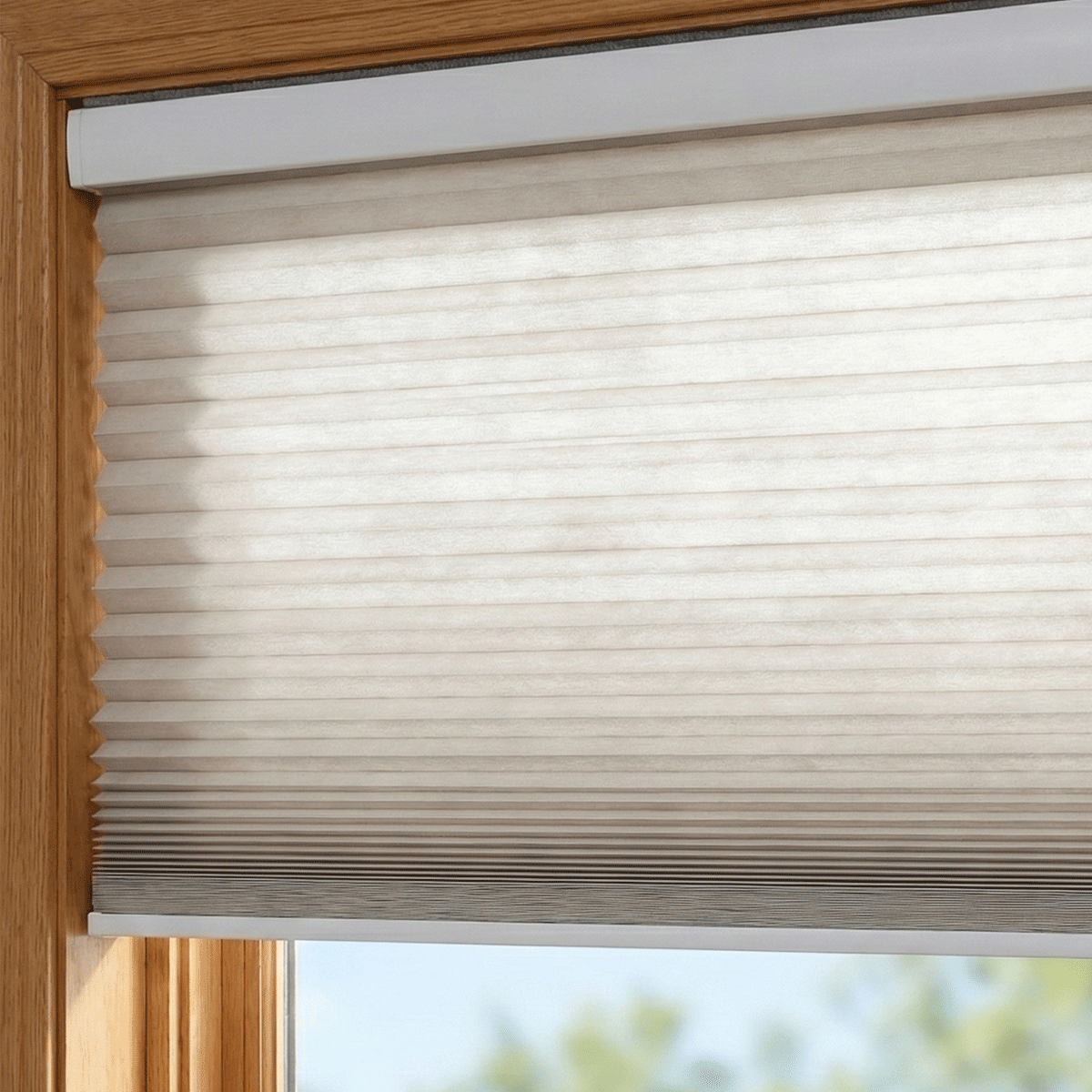
Natural light is the best base layer, but direct sun is too strong to work in. Diffuse it rather than block it: a light-filtering or sheer shade turns a harsh beam into soft ambient light that fills the room. OSHA's workstation guidance recommends using blinds or drapes to eliminate bright light from windows[1], and a translucent fabric does that without making you switch the lamps on at noon. If you are unsure how much light a fabric lets through, our guide to opacity levels from sheer to blackout explains each level.
Ambient light
Overhead or indirect fixtures provide general light for the whole room. For paper tasks, OSHA cites a typical office range of 20 to 50 foot-candles, noting that rooms with LCD monitors often need more, up to about 73 foot-candles[1]. A single ceiling fixture is rarely enough, so add an uplight floor lamp that bounces light off the ceiling.
Task light
A desk lamp lights paperwork and keyboards without raising the brightness around the monitor. Place it so the light does not reflect on the screen[1], usually to the side and slightly in front, and on the side opposite your writing hand so your hand does not cast a shadow. An adjustable arm and a dimmer let you tune it through the day.
Accent and bias light
A low LED strip behind the monitor (bias lighting) softens the contrast between a bright screen and a dark wall in the evening, and shelf lights add depth to your video-call background.
Two finishing touches matter more than they seem. Choose neutral-white bulbs (around 3500K to 4000K) for working hours, and paint walls near the desk a medium tone in a matte, non-reflective finish to limit reflected glare[1].

How Do You Reduce Glare on a Computer Screen?
Reflected glare is light bouncing off the screen; direct glare is a bright window or lamp in your view, usually behind the monitor. Both contribute to eye strain. The American Optometric Association recommends minimizing glare by repositioning the screen, using drapes, shades or blinds, adding a glare-reduction filter and keeping the screen clean[4]. Work through the fixes in this order:
- Turn the desk so the window is to your side, as described above.
- Diffuse the daylight with a light-filtering, sheer or sunscreen shade so the window glows instead of blazing.
- Handle low sun separately. East windows are brightest in the morning and west windows in the late afternoon, when the sun sits at eye level. That is when a darker layer, lowered partway, earns its place. North light is the most even; south light is strong but high in summer.
- Tame overhead lights. Tilting the monitor back can pick up glare from ceiling fixtures[2]; keep the screen close to vertical and use diffused fixtures or lamps instead.
- Fine-tune the screen. A matte display or an anti-glare filter helps glossy screens, and wiping off dust and fingerprints improves clarity.
If your office has strong sun most of the day, our in-depth guide to cutting home office glare with dual shades covers window direction, shade types and daily schedules in detail.

Video-Call Lighting and Background Ideas
Most bad video comes from one mistake: a bright window behind you, which turns your face into a silhouette. Set up your call position like this:
- Put the main light in front of you. A window ahead and slightly to one side, or a lamp about 45 degrees off-center and a little above eye level, makes a flattering key light.
- Add a fill. A second, dimmer lamp or a white wall on the opposite side softens shadows.
- Do not mix color temperatures. Daylight is cool and many lamps are warm; mixing them gives an orange-and-blue face. Match bulb color to daylight during the day, or shade the window and rely on lamps.
- Raise the camera to eye level. Stack the laptop on a stand or books so the camera looks straight at you, not up your nose.
- Control the window behind you. If the layout forces a window into the frame, lower a light-filtering shade for an even, soft background, or a blackout layer when the sun is directly on it.
For the background itself, aim for depth and order: sit 3 to 6 feet in front of a wall, and show a tidy bookshelf, a plant or a piece of art rather than a bed, a door or a pile of laundry. Closed cabinets behind you hide clutter that open shelves would show. A motorized shade on a schedule, or a "meeting" scene you trigger by voice, puts the window in the same position for every call so your lighting is consistent.
Cable Management That Stays Tidy
Cable clutter makes a small office look chaotic on camera and in person. Fix it once, properly:
- Mount the power strip. Screw a surge protector to the underside of the desk so only one cord runs to the wall.
- Add an under-desk tray. A metal or mesh cable tray holds power bricks and excess cable off the floor.
- Bundle with hook-and-loop ties. They are easy to reopen when you add a device, unlike zip ties.
- Use a cable spine for standing desks. Leave a slack loop so cables do not pull when the desk rises.
- Reduce the number of cables. A docking station connects a laptop to monitors, power and peripherals with one cable, and wireless keyboards and mice remove two more.
- Create a charging spot. A drawer or tray with a multi-port charger keeps phones and earbuds off the work surface.
Home Office Storage Ideas
Store things by how often you use them. Daily items (notebook, pens, charger, headset) should be within arm's reach. Weekly items belong in the room, and archive files and supplies can live elsewhere.
- Go vertical. Wall shelves or a pegboard above the desk add storage without using floor space; leave about 15 to 18 inches above the desk surface so a monitor fits underneath.
- Use a rolling pedestal. A three-drawer file cabinet on casters fits under most desks and moves out of the way.
- Close what the camera sees. Use doors or bins on shelves that appear in your video background.
- Cut the paper. Scan what you need to keep and use one inbox tray for anything waiting on action; matching labeled bins look calmer than loose supplies.
How to Cut Noise in a Home Office
Noise breaks focus and leaks into calls. Most home offices have three problems: outside noise (traffic, neighbors), household noise and echo from hard surfaces.
- Soften the room. A rug, an upholstered chair, fabric window treatments and a full bookshelf absorb sound and reduce the echo that makes you sound distant on calls.
- Seal the door. Weatherstripping and a door sweep reduce household noise; a solid-core door helps more than a hollow one.
- Use the shared wall. Place a loaded bookshelf against the wall you share with a noisy room or neighbor.
- Choose the right headset. A headset with a noise-canceling microphone often does more for call quality than any room treatment.
If you plan to adjust shades during meetings, motor noise matters too; see our notes on quiet motorized shades for video calls.
Small-Space and Closet Office Ideas
You do not need a spare room, just a dedicated surface, good light and a way to put work away at night.
Closet office (cloffice)
A reach-in closet is often 24 inches deep, which fits a built-in desk surface. Remove the doors or swap them for curtains so your chair can roll in, mount shelves above the desk and add your own lighting, since closets are usually dark: a ceiling fixture or LED strip under the lowest shelf plus a task lamp.
Living-room or bedroom corner
Turn a corner desk so the nearest window is at your side, and use a rug, a bookshelf or a folding screen to mark the work zone. In a bedroom, face the desk away from the bed so it stays out of your call background, and choose a shade that handles both daytime glare and sleep.
Nooks, landings and under the stairs
A floating wall desk 20 to 24 inches deep fits awkward spaces. Pair it with a wall-mounted lamp to free the desktop.
Fold-away and shared setups
A wall-mounted fold-down desk or a cabinet desk hides work when closed. In a shared office, put desks back to back or along opposite walls so you are not on each other's camera, and give each person their own task light.
Where Motorized Shades Fit In a Home Office
The window is the biggest lighting variable in a home office, and the right shade puts the advice above on autopilot. Here is how needs map to our products:
| Your need | Our pick | Why it works | Trade-off |
|---|---|---|---|
| Strong sun, frequent video calls, office doubles as a guest room | Integrated dual-layer roller shades | Two layers on one motorized unit move from bright daylight to full blackout | Costs more than a single shade; check window depth first |
| Cut glare but keep the view | PVC-free sunscreen roller shades | Sheer fabric diffuses sunlight and keeps the outdoor view | Little privacy at night with the lights on |
| Soft, adjustable light with a tailored look | Spica light-filtering sheer shades | Fabric vanes tilt to filter daylight and reduce glare while keeping views | Room-darkening when closed, not full blackout |
| Renters, closet or small offices | No-drill light-filtering linen roller shades | Light-filtering fabric diffuses glare; no-drill design | Light filtering only; not for darkening the room |
Motorized shades in our dual shades, roller shades and sheer shades collections run from a remote, app or voice assistant and support schedules, so the day layer can drop before your west-facing window starts to glare and lift again at the end of the day. Our smart home compatibility page lists supported platforms, and smart home for beginners explains how to set up scenes. Before ordering, follow the dual shade measuring guide to confirm fit.

Frequently Asked Questions
Should my desk face the window?
Usually not. Facing a window puts a bright background behind your monitor, and sitting with your back to it causes screen reflections and a silhouette on video calls. The best position is side-on, with the screen at a right angle to the window. If you love the view, face it and use a light-filtering or sunscreen shade during sunny hours.
What is the best lighting for a home office?
Combine diffused daylight, ambient light and a task lamp. Use neutral-white bulbs around 3500K to 4000K, place the desk lamp so it does not reflect on the screen, and keep the screen from being the brightest thing in your view. A shade that diffuses direct sun keeps daylight useful instead of glaring.
How do I make my home office look professional on video calls?
Face your main light source, raise the camera to eye level and sit 3 to 6 feet in front of a tidy background such as a bookshelf, plant or artwork. Avoid a bright window behind you; if one is in the frame, lower a shade. Closed storage hides clutter.
How much space do I need for a home office?
A workable home office needs a desk at least 40 inches wide and 24 inches deep, plus about 36 inches of clearance behind the chair. That fits in roughly 5 by 6 feet, which is why a corner, nook or reach-in closet can work.
What window treatment is best for a home office?
One that diffuses light rather than only blocking it. Sunscreen roller shades keep the view, light-filtering shades soften the sun, and dual shades add a blackout layer for calls or a guest room. Motorized versions on a schedule handle the sun without interrupting work.
How do I set up a home office in a small apartment?
Pick a spot with side light, use a wall-mounted or 20- to 24-inch-deep desk, store vertically above it, and choose a chair that tucks fully underneath. A closet, alcove or living-room corner works if you add a task lamp.
Ready to fix the window in your work from home setup? Browse our motorized dual shades for day-to-blackout control, or order fabric samples to see how each material handles your office's light before you buy.
Sources
- Computer Workstations eTool: Workstation Environment (Occupational Safety and Health Administration)
- Computer Workstations eTool: Monitors (Occupational Safety and Health Administration)
- Computer Workstations eTool: Good Working Positions (Occupational Safety and Health Administration)
- Computer Vision Syndrome (American Optometric Association)
Share